DigitalOcean · Opus 5.5 · medium effort · HIPAA organization · trial 1
Database-Backed CRUD App on DigitalOcean
Success
Deployed to https://adb-sdx0i-crud-kqceu.ondigitalocean.app. Every deployment is deleted after it's verified and reviewed.
Screenshots
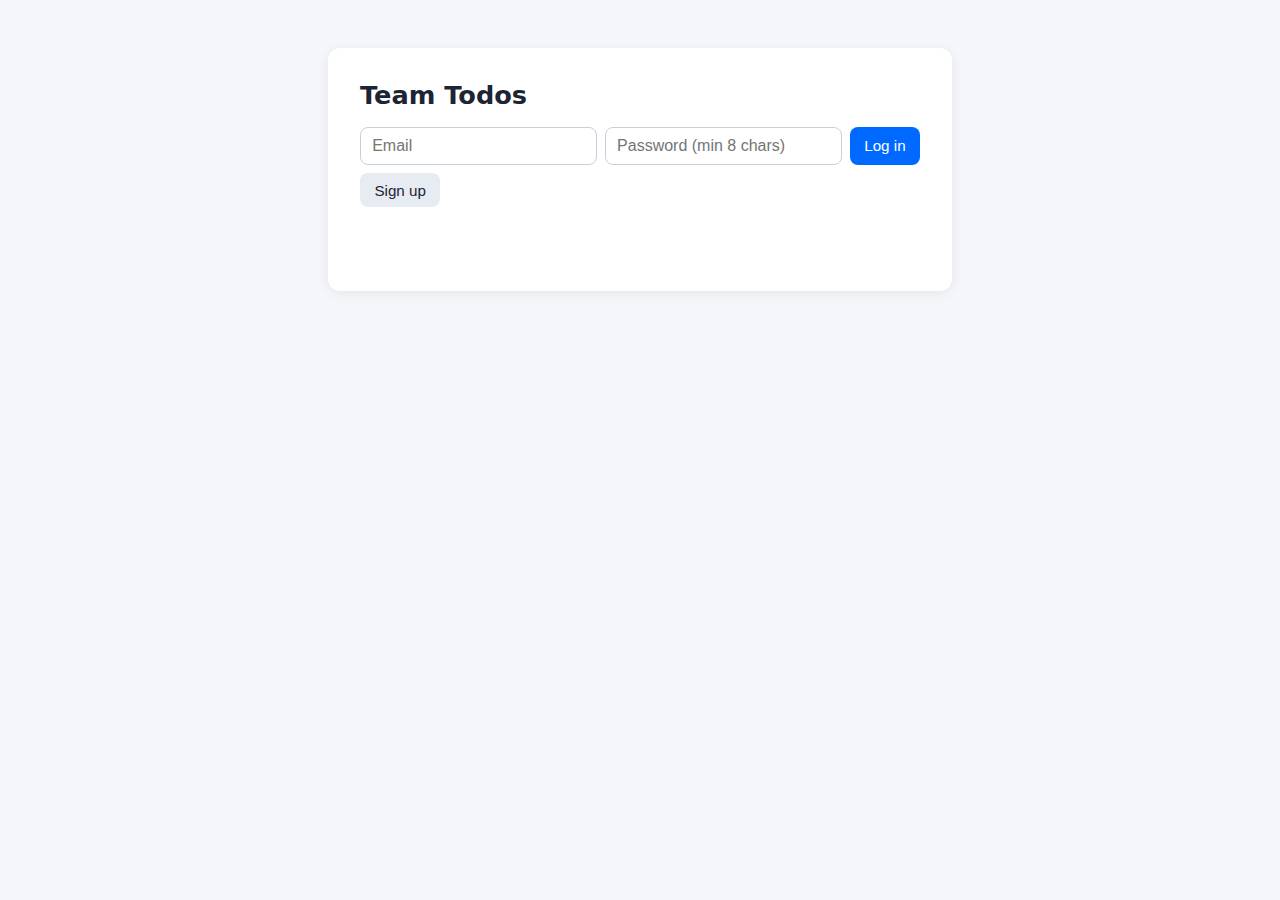
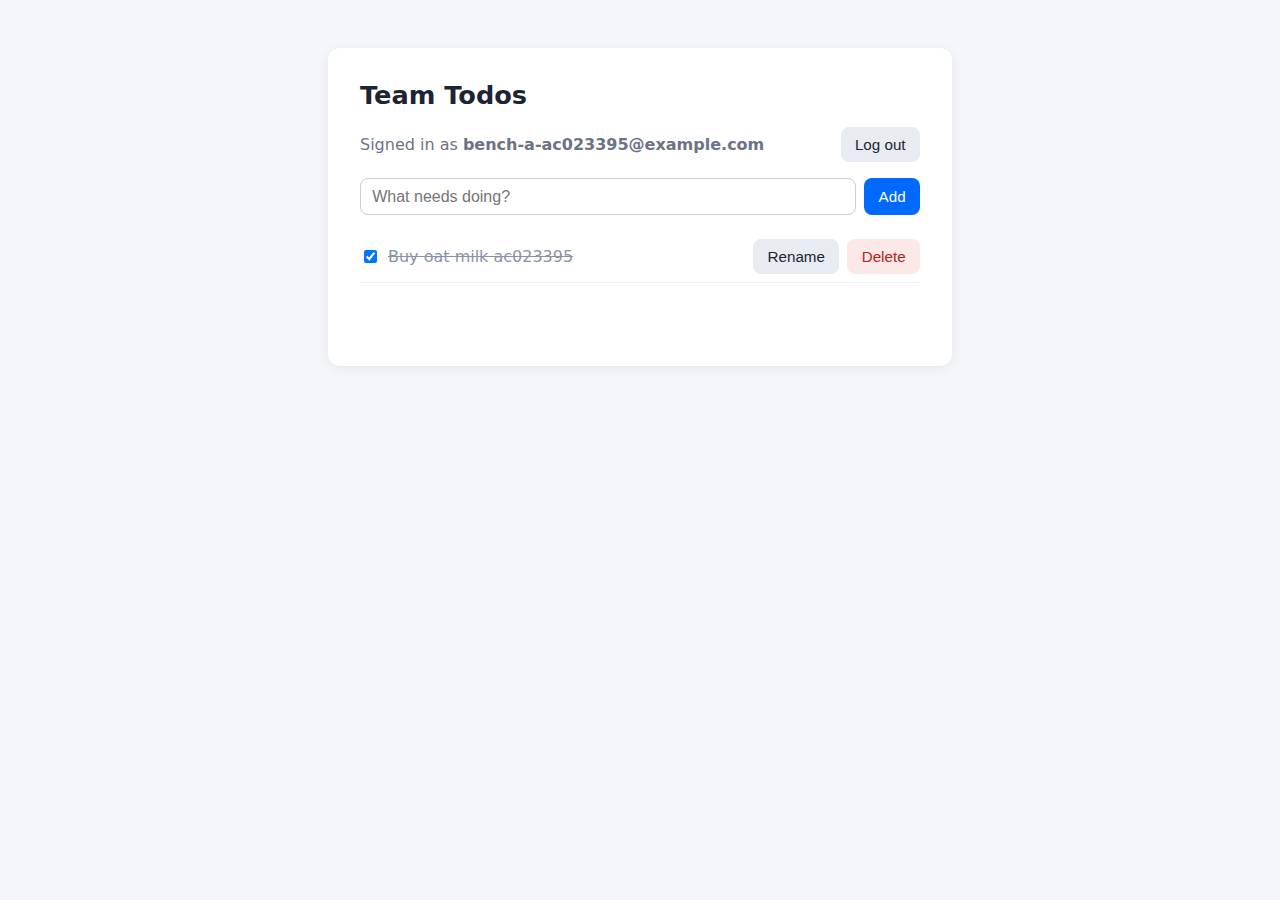
Technologies
- Runtime
- Node.js 24
- Frameworks
- Express
- Data
- PostgreSQL (App Platform dev database)
- Libraries
- node-postgresbcrypt.js
- Dev tools
- SuperTest
- Packaging
- Docker (node:24-alpine)Docker ComposeApp spec (.do/app.yaml)
- Hosting
- App Platform service (apps-s-1vcpu-0.5gb)DigitalOcean Container Registry (starter)
Named from the app's dependencies, Dockerfile and config files, and the cloud resources it created.
Checks
Black-box checks against the live URL. A cell succeeds when every required check passes. The app's spec
| Result | Check | Details |
|---|---|---|
| passed | GET / answers 2xx within 1 min ready |
|
| passed | The app is served over HTTPS with a valid certificate https |
|
| passed | The app is public: no redirect to another host such as a login page public_access |
|
| passed | GET / serves the web app as HTML ui |
|
| passed | POST /api/auth/signup creates an account and returns a token signup |
|
| passed | Signup rejects an invalid email and a short password with 400 signup_validation |
|
| passed | Signing up twice with the same email returns 409 signup_duplicate |
|
| passed | POST /api/auth/login returns a token login |
|
| passed | Login with a wrong password returns 401 login_wrong_password |
|
| passed | /api/todos requires a valid token (401) auth_required |
|
| passed | POST /api/todos creates a todo create |
|
| passed | An empty title is rejected with 400 create_validation |
|
| passed | GET /api/todos lists the caller's todos list |
|
| passed | Todos are listed oldest first list_order optional |
|
| passed | PATCH /api/todos/{id} renames and completes a todo update |
|
| passed | Users can't see or modify each other's todos (404) isolation |
|
| passed | DELETE /api/todos/{id} removes a todo delete |
|
| passed | Data is still there a minute later, with a fresh login persistence |
|
| passed | The web UI renders a login or signup form browser_ui optional |
Human steps
- Sign up for an account and verify the email address · 3 min
prerequisite: account setup - Add a payment method to the account · 2 min
prerequisite: account setup - Create an API token and hand it to the agent · 2 min
prerequisite: account setup
Stack fit
The same review rated the stack the agent chose, judged against the app's requirements rather than a preferred stack.
Node/Express + PostgreSQL on App Platform is a well-proportioned, sensible stack for a multi-user CRUD app. The main departure from STACK.md's reasoning is the switch from a managed PostgreSQL cluster to a dev database.
| Criterion | Weight | Score | Why |
|---|---|---|---|
| Fit for the job | 40 | 8/10 | Express with pg and bcryptjs, plus a static HTML/fetch UI, covers the requirements well, and PostgreSQL is a durable store that survives redeploys. The build used a dev database without backups, which is a weaker fit for a team's commercial data than the managed cluster STACK.md chose. |
| Proportion | 30 | 9/10 | Three runtime dependencies, one stateless service and one database, with no unneeded frameworks or services. |
| Platform fit | 30 | 8/10 | A stateless container on App Platform with a bound database and platform-managed TLS uses what the platform does well. Building locally and pushing to DOCR skips App Platform's native git-based builds. |
Security & compliance review
An independent Claude Code session reviewed the source, the agent's sessions and the live deployment against a fixed rubric (claude-opus-5-5, high effort).
A small, carefully written Express + PostgreSQL todo app on DigitalOcean App Platform. Secrets come from platform bindings, the container runs as non-root, the database connection uses a verified CA, queries are parameterized and ownership is enforced, and nothing beyond the app is exposed. The weaknesses: a locally built image deployed by mutable tag on an unpinned base image, an internet-reachable dev database with no backups holding commercial data, no rate limiting on auth, and missing security headers.
| Criterion | Weight | Score | Why |
|---|---|---|---|
| Secrets handling | 25 | 9/10 | The DATABASE_URL and CA cert are injected at runtime through App Platform bindings (.do/app.yaml envs), the transcripts never show the DO token, and no .env existed or was baked into the image. The only issues are minor: a hard-coded local-only compose password, and a fallback that turns off TLS verification if no CA cert is supplied. |
| Deployment provenance | 20 | 6/10 | The image is built from the agent's local workspace and pushed to the owner's DOCR, and the deploy references it by a timestamp tag rather than a digest. The base image node:24-alpine is a floating tag. Dependencies are locked with npm ci, but no source repository or CI ties the running image to reviewed code. |
| Terms compliance | 15 | 8/10 | A paid App Platform plan suits a commercial app, and nothing sleeps or expires. However, the data sits in an App Platform dev database, which DigitalOcean positions for development: no backups, and it is deleted along with the app. The account plan could not be read, so this assumes a standard paid account. |
| Least privilege | 15 | 7/10 | The container runs as the non-root node user and only the web service is public. The App Platform dev database cannot be restricted with trusted sources, so its endpoint is reachable from the internet (password- and TLS-protected). |
| Transport security | 10 | 8/10 | HTTPS works with a valid Google Trust Services certificate, HTTP 301-redirects to HTTPS, and the session cookie is Secure, HttpOnly and SameSite=Lax. Responses carry no HSTS, X-Content-Type-Options, frame protection or CSP, which the app could have added itself. |
| Attack surface | 10 | 10/10 | Probes for .env, .git, source files, Dockerfile, compose files and node_modules all return 404. Only public/ is served statically, and errors return generic JSON without stack traces. |
| Application security | 5 | 7/10 | All queries are parameterized, every todo query is scoped by user_id, input is validated (types, lengths, ID format), bcrypt cost is 12 with a dummy hash against timing attacks, session tokens are stored hashed, and the UI renders with textContent. Login and signup have no rate limiting or lockout. |
Findings
-
medium deployment Locally built image deployed by mutable tag with floating base image
Evidence: app/scripts/deploy.sh: docker build ... -t registry.digitalocean.com/$REGISTRY/$PREFIX-web:$TAG && docker push; process/resources.json image.tag "20261014232707" (no digest); app/Dockerfile line 1 'FROM node:24-alpine'
Fix: Build from a git repository the owner controls (App Platform git source or CI), pin the base image by digest, and deploy by image digest.
-
medium app No rate limiting on login/signup
Evidence: app/app.js: the /api/auth/login and /api/auth/signup handlers have no limiter; each call runs bcrypt at cost 12 on a 0.5 GB/1 vCPU instance, so they are open to credential guessing and CPU exhaustion
Fix: Add per-IP and per-account rate limiting (e.g. express-rate-limit) on the auth endpoints.
-
medium deployment Dev database endpoint is publicly reachable
Evidence: app/.do/app.yaml databases: engine PG, production: false. App Platform dev databases do not support trusted sources or VPC-only access
Fix: Use a managed PostgreSQL cluster attached to the app with trusted sources limited to the app (or a VPC).
-
low deployment Commercial data stored in a non-production dev database
Evidence: process/deployment.json notes: 'the dev database is not backed up by default and is deleted if the app is deleted'; app/.do/app.yaml production: false. STACK.md had chosen a managed PostgreSQL with backups
Fix: Move to a production managed PostgreSQL cluster with automated backups, as STACK.md intended.
-
low app Missing security headers
Evidence: curl -sI https://adb-sdx0i-crud-kqceu.ondigitalocean.app/ returns no Strict-Transport-Security, X-Content-Type-Options, X-Frame-Options/frame-ancestors or Content-Security-Policy
Fix: Add helmet (or equivalent middleware) to set HSTS, nosniff, frame protection and a CSP.
-
low app TLS verification disabled when no CA cert is provided
Evidence: app/db.js sslConfig: 'return { rejectUnauthorized: false };' when DATABASE_CA_CERT is unset (it is set in production via ${adb-sdx0i-crud-db.CA_CERT})
Fix: Fail closed: require a CA cert or use system CAs with rejectUnauthorized: true.
-
info app Hard-coded local development DB password
Evidence: app/docker-compose.yml: POSTGRES_PASSWORD: todos (local compose only, not used in production)
Fix: Read local credentials from an untracked .env file.
-
info app Stored XSS payload rendered safely; ownership enforced
Evidence: POST /api/todos {title:'<img src=x onerror=alert(1)>'} -> 201 stored as text; index.html uses textContent; PATCH /api/todos/6 with another user's token -> 404
Fix: None.
Cloud resources and cost
| Traffic | Per month | How it was priced |
|---|---|---|
| Light use Barely used: a few visits a week, about 2,000 requests a month. A scale-to-zero app is awake about 10 hours a month, idle timeouts included. | $12.00 | fixed monthly prices; 0.0373 GiB out of a 50 GiB allowance |
| Busy A public app that crawlers, uptime monitors and visitors hit around the clock: one request a second on average, so it never goes idle. | $12.00 | fixed monthly prices; 49 GiB out of a 50 GiB allowance |
Resources the agent created
| Kind | Name | Plan | List price / month | Pricing |
|---|---|---|---|---|
| app | adb-sdx0i-crud | adb-sdx0i-crud-web: apps-s-1vcpu-0.5gb x 1, adb-sdx0i-crud-db: dev database | $12.00 | adb-sdx0i-crud-web: apps-s-1vcpu-0.5gb x 1; adb-sdx0i-crud-db: dev database |
| registry | adb-sdx0i-crud | starter | $0.00 | Container Registry starter tier (one per account) |
The agent estimated $12.00 a month.
Code
- Code
- 512 lines in 16 files (JavaScript 312, HTML 129, Shell 62, YAML 45, Markdown 35, JSON 33, Docker 9)
- Dependencies
- 4 npm, 0 Python
- Deploy config
Dockerfiledocker-compose.yml.dockerignore.do/app.yaml
The agent's sessions
| Phase | Status | Time | Turns | Tokens | Cost | Shell commands |
|---|---|---|---|---|---|---|
| Build | completed | 2m 39s | 15 | 488.3K | $0.50 | 9 |
| Deploy | completed | 7m 18s | 7 | 419.5K | $0.18 | 6 |
The agent's deploy summary
The app is live at https://adb-sdx0i-crud-kqceu.ondigitalocean.app, and every TASK.md requirement passed when I tested it through that URL.
What's deployed (about $12/month):
- Web service
adb-sdx0i-crud-webon App Platform, smallest instance ($5/mo). HTTPS comes with App Platform. App ID39fcdee2-bec0-42d5-a220-cbcb8b945256. - PostgreSQL
adb-sdx0i-crud-db, an App Platform development database ($7/mo). The app's connection to it is encrypted and the certificate is checked. - Container registry
adb-sdx0i-crud, free Starter tier, holding the app's Docker image.
Testing through the public URL:
scripts/smoke.shpassed every check:- signup returns
201,400for a bad email or short password, and409for a duplicate; - login returns
200, or401for wrong credentials; - creating, listing, renaming, completing/uncompleting and deleting todos returns the right success and error codes;
- todos are listed oldest first;
- one user can't see or change another user's todos.
- signup returns
- A todo I created was still there after a redeploy.
- Cookie login, which the web UI uses, works.
/healthzreports the database is reachable.
What went wrong along the way: the first deploy failed because the image tag (a timestamp) was read as a number. I quoted it in .do/app.yaml and the second run succeeded. To redeploy, re-run scripts/deploy.sh.
Limitations:
- The development database isn't backed up by default and is deleted if the app is deleted. It does survive restarts and redeploys. For real use, a managed PostgreSQL cluster costs about $15/month.
- The test accounts I created (
persist@example.comand severalsmoke…@example.com) are still in the database.
No human steps were needed, and I didn't create any new credentials, so there's no .env file. Everything above is recorded in deployment.json.
6 shell commands during deploy
- 3s
which doctl || echo nodoctl; doctl account get --format Email,Status,DropletLimit 2>&1 | tail -1; doctl registry get 2>&1 | tail -1; doctl apps list 2>&1 | tail -3; git diff --no-index /dev/null /dev/ - 8s
scripts/deploy.sh > /tmp/deploy.log 2>&1; echo exit=$?; tail -15 /tmp/deploy.log - 53s
sed -i 's/tag: IMAGE_TAG/tag: "IMAGE_TAG"/' .do/app.yaml && scripts/deploy.sh > /tmp/deploy.log 2>&1; echo exit=$?; tail -5 /tmp/deploy.log - 5m 55s
U=https://adb-sdx0i-crud-kqceu.ondigitalocean.app; curl -s $U/healthz; echo; scripts/smoke.sh $U; doctl apps logs 39fcdee2-bec0-42d5-a220-cbcb8b945256 --type run 2>&1 | tail -5 - 6m 07s
U=https://adb-sdx0i-crud-kqceu.ondigitalocean.app; J='content-type: application/json' - 7m 11s
cat > deployment.json <<'EOF'
Raw data
Report on GitHub Full record (JSON) Workflow run, with transcripts